Bloglovin' Facebook Pinterest E-Mail Instagram Shop Home About Us Freebies Shop Image Map
Showing posts with label feedback. Show all posts

Sunday, April 23, 2017

Five Ways to Create a Strong Finish for the School Year

As the school year draws to a close, we’re all looking for fun ways to keep our middle school students engaged and learning– right up to the last day!


The Middle School Mob has come up with a list of five activities that are sure to help you make the most of these last weeks…and keep you sane at the same time! 

1.  Sharon from Classroom in the Middle uses Summer Practice Cards.  Summer Practice Task Cards are designed to provide a review of language arts skills for middle schoolers or students in upper elementary grades. The 30 half-page cards include five each on six summer topics: At the Beach, Life on the Pond, Low-Tech Fun, The Ball Game, Picnic Time, and Vacation and are perfect to use with a fun classroom game or activity. A coloring page cover and a checklist of assignments completed are also included so that the cards can be sent home for a summer practice booklet.


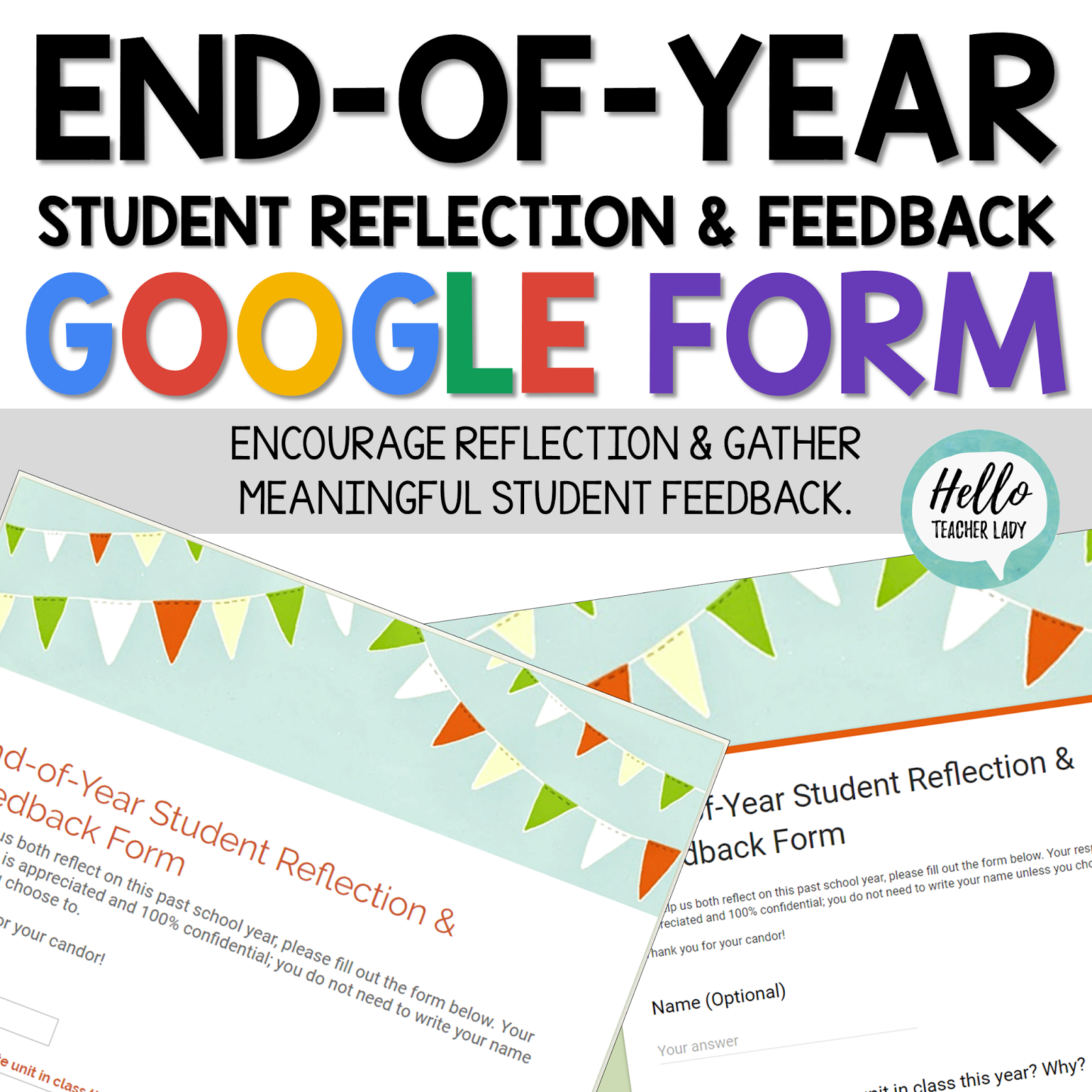
2.  Shana from Hello, Teacher Lady says that no school year is complete without a little reflection! This End-of-Year Student Reflection & Feedback Google Form encourages students to reflect on their year while providing teachers with valuable student feedback and insight. The responses are automatically stored in a Google Sheet for easy viewing from any device, so no need to worry about collecting paper or wonder where you're going to store all those paper stacks.

Shana says, "I love using this digital form with my students not only because of its ease and convenience, but also because the thoughtful responses have helped me reflect on my year and improve my own teaching for the following year. (Psst - you can download the form for free in my Teachers Pay Teachers store!)"

2.  Lisa shares Mrs. Spangler in the Middle's top 3 ways to finish the year strong! There's an inspirational video, a positive reinforcement system that culminates on the last day of school and even a daily motivator for those tough classes.


4.  Lit with Lyns recommends this Digital End of Year Student Reflection as a great way to give students the opportunity to reflect on their year. It also allows them to provide feedback on what they thought worked well, as well as what they would like to change in specific classes.

"Not only did this help my students to reflect," Lyns says, "it also allowed me to do the same. After reading their suggestions, in addition to what they liked, I was able to implement some of their ideas into different activities and strategies I used the following year. This resource is truly a WIN-WIN for both students AND teachers!!!"  It comes in both digital AND printable format!


5.  Marypat from Just Add Students recommends having your students create a Reading Legacy Project.  This is a fun way for students to reflect on all the great reading they’ve done through the school year.  Students create a resource for next year’s class that includes book reviews, scrapbook pages, “best of…” awards, and signature pages for notes of encouragement to the upcoming class.  Great resource for next year when your students ask, “What should I read?”


Give one of these ideas a try and let us know what you think... or offer an idea of your own that makes the end of the school year a breeze!

Tuesday, March 22, 2016

Assessing with Technology

Hey all! Stephanie from The Marvelous Middle here. Today I want to talk to you about painless and quick ways you can assess in your classroom using technology. My school is a 1:1 school but you don't have to be in order to use these assessments. They are all online and can be easily shared on the teacher's computer linked to a projection screen or Promethean Board / Smartboard. I'm really excited to share what I do in my classroom so let's get started.

This quote guides my classroom activities.
If you are anything like me, I am always looking for new and interesting ways to assess my students in real time, whether I am wanting to get a quick status of the class or looking to do a review type of game. The following websites are ones that I have personally used in my classroom as formative assessments and are my "go-to" choices. It's always good to shake things up often with middle schoolers so they keep interested...so having many choices in your toolbox is key.

Kahoot
Kahoot is a free learning space where educational content can be delivered by asking questions in real-time. It's a social, game-like environment where teachers involve students by questioning, discussing, and surveying. Kahoot's motto is "Great learning starts by asking questions."

Example from my Etymology Challenge Kahoot
Currently, there are three types of Kahoot.

  1. Quiz: This is the most commonly used in my classroom. With this type, a teacher can create a series of multiple-choice questions. Each question can have an associated picture or video with it. There is a time-limit (that the teacher sets) for each question. Players answer questions that are displayed at the front of the room on their personal device (laptop, phone, tablet, etc.). Students are motivated to answer correctly and score the most points.. The faster a students answers the question correctly, the more points they get. The top 5 highest point scorers are displayed on a leaderboard between each question. The ultimate winner is shown at the end. It's a great way to engage and focus a whole group of students. Quizzes can be used to formatively assess each student in your classroom. Each game's data is saved and can be downloaded into a spreadsheet in order to track progress over time.
  2. Discussion: This type is designed to facilitate a conversation among students. They are simply one quick question with no right or wrong answer. This question can also have a picture or video associated with it. I typically use a short video that requires my class to give an opinion or come to a conclusion about the subject of the video. Players answer the question using their personal device and the collective results of the question are displayed in the front of the room. These results can be used as a launching pad into a class discussion. I often use this as a bell-ringer or an introduction to a new unit. It's quick and sets up a great class discussion.
  3. Survey: This type is just like a traditional survey, except questions are asked in real-time. There are no right or wrong answers and there is no limit to the number of questions that can be included on the survey. Again, students answer using their personal device. At the end of each question, results are shown, which allows for debating and discussion at that time. I have used this as an anticipation guide in my classroom. You could also use as a way to pace your discussion because of pre-set questions or to make sure the necessary questions are asked while allowing for robust classroom discussions. As with the quiz, results can be downloaded at the end of the survey.

Quizzizz
This is very similar to Kahoot. The only difference is it is self-paced, not teacher-paced. This puts the responsibility on the student to guide instruction. I would recommend Quizzizz if you have students who can work independently and have good self-pacing skills. The other main difference is the question and the answer options show up on student devices. Again, this allows for student pacing. I have used this in my classroom as review homework and as centers.

Socrative
This is very similar to Kahoot and Quizzizz, but with much greater functionality. Quizzes can be student-paced or teacher paced. But the features that make Socrative so useful, in my opinion, is the question types and the exit slip option. Questions can be not only multiple choice, but also true/false and short answer. I use short answer questions the most, especially when used as exit slips. There is an actual template already in place for you to use as an exit slip. This alone makes this my choice most days in my classroom. and unlike the other two, there is an actual app for Socrative, which I find useful for students who have difficulty getting a URL typed in correctly.
If you are looking for something completely different than the above choices or you have a classroom where devices are hard to come by, Plickers is the solution. Plickers is a classroom polling system that displays results in real-time. The only difference is that students hold up a card that shows the chosen answer. 
My students using Plicker
The teacher then scans the room with an Apple or Android phone or tablet. As you scan, the space above the card shows the student's name in either red or green. Green = correct answer and red = incorrect answer. The results also appear on the screen at the front of the room. Pluckers also created an app that was released in January 2016. I have yet to try it yet. 

On my blog, The Marvelous Middle, I have gone into further detail about setting up and using Plickers. You can find that post here. I have just started using Plickers but so far, it's going to be added to my assessment toolbox . The kids loved it and found it easy to use. 

I just participated in a PD session that showed it being used in a classroom. It appeared to be another quick way to poll your students. The one thing I noticed was it didn't require students to use their names so all answers were anonymous. I could see this be helpful as a way to gauge your entire class' level of understanding.I have not used in my classroom yet, but I will post a review on The Marvelous Middle once I do.

Whew! Thanks for letting me share what I use in my toolbox for quick, tech-based formative assessments. I hope your students enjoy them as much as my students do!

Until next time...


Tuesday, February 9, 2016

Constructive Feedback With Kindness


Hello! Jen here from Teaching Teens in the 21st, and with the day of LOVE fast approaching, I thought I would share today with some tips on giving constructive feedback in a positive way.


We've all been there. We're editing a paper, and it's so unreadable due to grammar, sentence structure, or organizational errors that you can't even focus on the paper. Or we've been at an after school event, and the drills aren't running well, or the dance routine is out of sync, or the actors are forgetting their lines all over the place, and set pieces are toppling over. 

Most of us grew up with the motto, "If you don't have anything nice to say, don't say anything at all". So what do you say, when there really is nothing positive? And in our slightly sensitive society, we are sometimes afraid to give negative feedback, for fear that it will upset a student, or cause them to give up and shut down. However, we can't get better at things without recognizing what we need to work on first. 


Enter: Constructive Feedback with kindness. I don't really believe in the sandwiching one negative with a positive because I think that sometimes kids know you're doing it, and it can seem disingenuous. But then again, I've always been the type of person who won't say something for the sake of saying it. If I give you a compliment, I genuinely mean it. 


Here's what I do:

1. Address the problem.
2. Explain what you'd like to see
3. Offer suggestions on how to get there


Example: You have a paper that is unreadable because of an improper use of commas.
1. Your paper was difficult to follow because of the large amount of commas in your paper.
2. I want to be able to get involved in your story and read your awesome ideas!
3. Let's take a closer look at your comma usage, and see if we can figure out what's happening.

Students can take this approach if they are doing Writer's Workshop as well. It's sometimes harder for students to speak critically to other students, especially if they're friends. On the flip side, sometimes it's hard for certain students to share criticism in a tactful way, so this should help both sides!

Example: One or two students are really struggling to learn the choreography in a dance.
1. Student A, you are doing your grapevine to the left, when it should be to the right.
2. You need to go to the right with everyone else so that you all look uniform.
3. Let's do it together and practice it, to get the muscle memory down. (Then I would group all students in small groups to practice and continue doing constructive criticism).

Sometimes it can get frustrating when you feel like you are always giving the same feedback to the same students, but taking this approach might just take the edge off! 

I hope you found this tip useful!